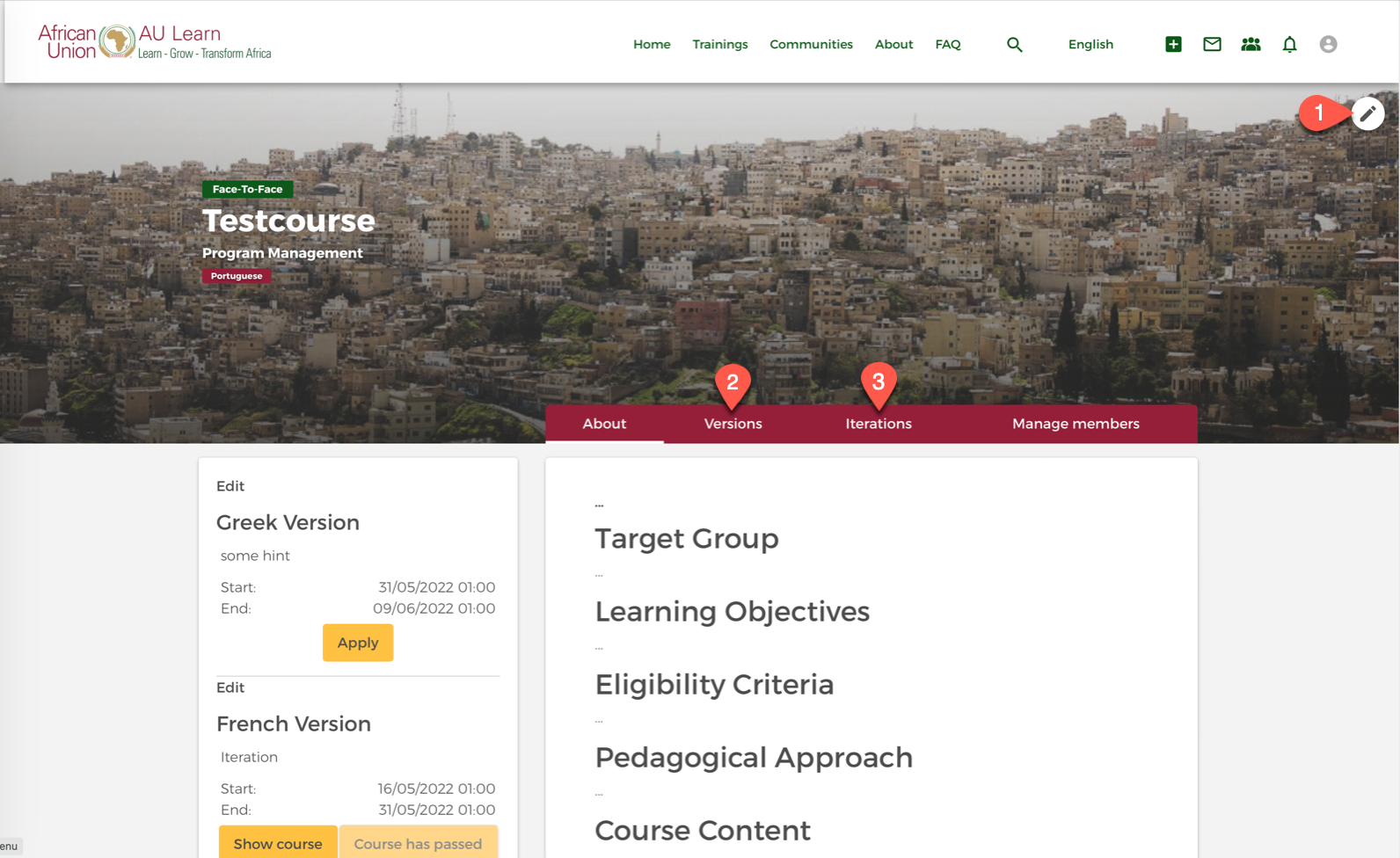
First we will create a general training space. This space is the home for all versions of a training and also the roll-out will happen in this space, once it is ready.
The training space is also the advertising page for a course. Hence, make sure to develop an adequate description and carefully choose the image for the training.
Important: AU-Learn features a course version management system. Hence, when you create a training course space, there is not course yet created. You will first need to create one or more course versions, which you then can roll-out as course iterations.
This allows a sustainable and systematic course versioning, structure and roll-out process on the platform. It also supports systematic reporting across all versions of a course.
Step 1: Open training creation form
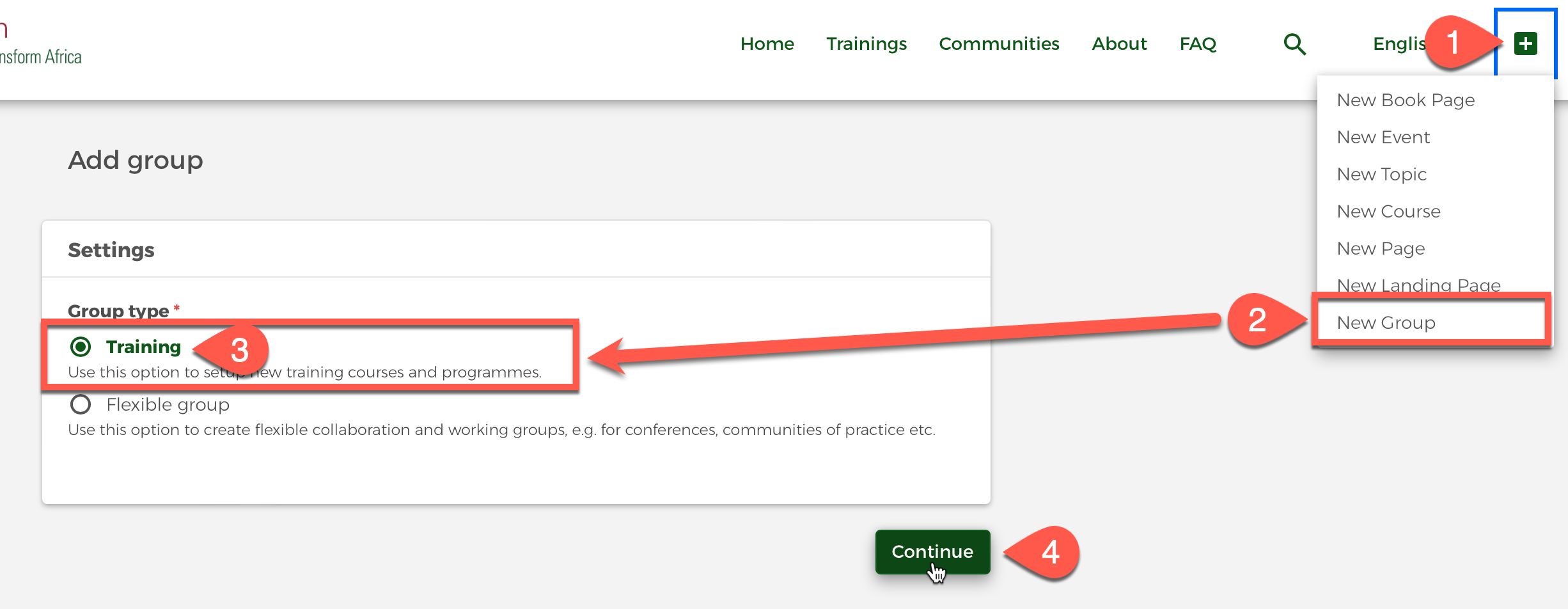
For setting up a new training course, please add (1) a new group (2), select Training (3) and Continue (4).
Step 2: Fill in training creation form
Fill in the following form:
- What type of training course are you offering?
- Blended: Mix of face-to-face (can also be virtual with BigBlueButton) and online learning.
- Face-To-Face: Purely instructor-led training, can also be virtual (e.g. with BigBlueButton)
- Online Self-Paced: Training can be taken without the attention of a teacher or instructor, individually and independent in time and location.
- Online Tutored: Online Training, that has some tutoring involved (e.g. Feedbacks for exercises etc.). Usually has to be taken in a certain timeframe.
- In what languages will the training be offered? Can be multiple!
- Focus areas of the training. Can be multiple!
- Features: What functions do you need for the training? Most of the time you will only need Moodle course. The Moodle course contains all features needed for the training. The other features are additional tools outside of the Moodle course space, to allow overarching meetings (e.g. with several training groups) and knowledge management / performance support (e.g. by using the Library), etc.
- Events: Ability to schedule meetings and events on group level.
- Library: Upload documents (manuals, readers) for post-training knowledge management.
- Members: Trainees can see the list of participants in this training course.
- Moodle course: Actually e-learning room - probably needed most of the time!
- Stream: Forum and news posts outside of the training space.
- Title of the training course
- Upload an image to represent the training course on the course advertising space and in the training catalogue. Make sure to consider copyright!
- Description: Add the course description in terms of target group, learning objectives etc.
- Access permissions: Here, you can decide who can see the course contents and the training course itself. You can also define allowed join methods.
- Group visibility: Who will see this training in the course catalogue?
- Public: the whole world
- Community: all registered users
- Internal: All members of the African Union Commission
- Group members only
- Group content visibility: What visibility settings are available when creating content? This can be different from group visibility, as you may want to create an open event, that is still placed in a closed group.
- Join methods: How can people join this group? Most of the time, Invite only is fine, as the course iterations come with additional and specific enrollment processes for an individual iteration.
- Open to join
- Request to join
- Invite only
- Group visibility: Who will see this training in the course catalogue?
Step 3: Finished! Edit as needed
You have successfully created a training course space. This is essentially a place, where we can now create the necessary course versions, and later roll-out the course to our audience, using different enrollment processes.
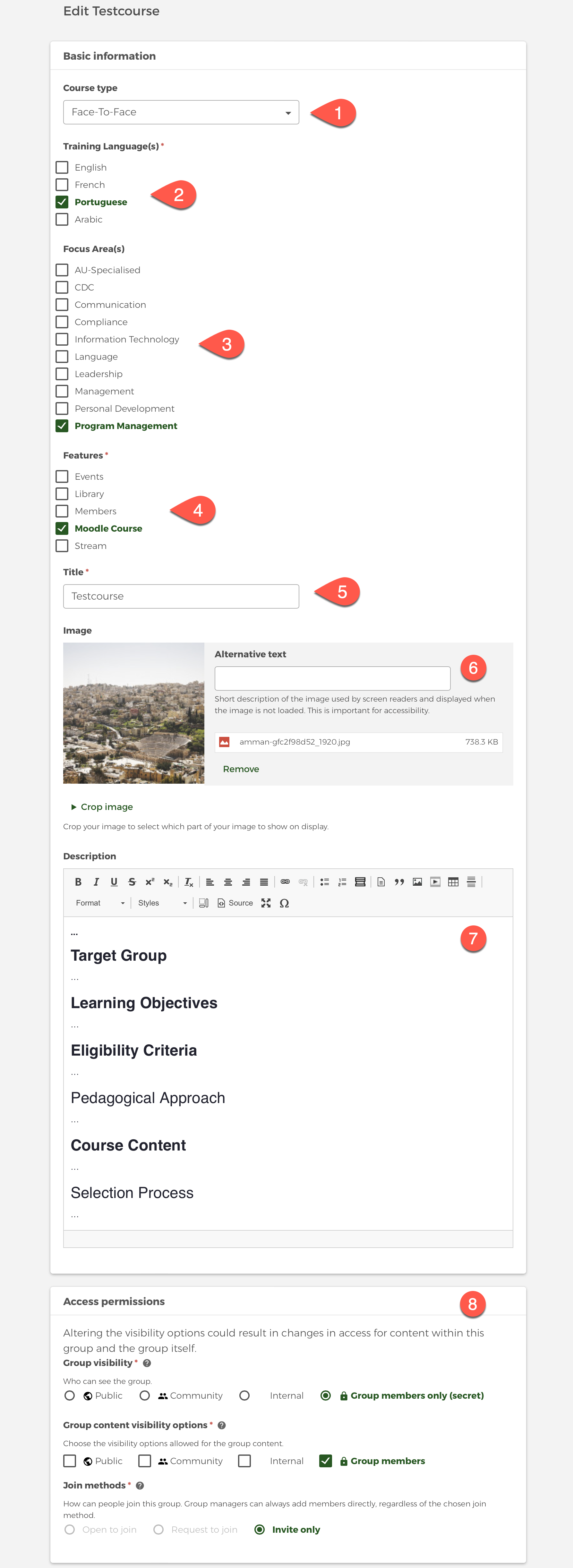
You can edit the course page as needed (1).
Also note the Versions tab (2) and the Iterations (2) tab. In the next step, we will create a course version, and later, once we are ready for roll-out, a course iteration.